Site security and safety
For security providers and teams managing multiple sites. Test a repeatable site check and review the findings centrally.
Request a site-check trial


Know which checks are complete, where controls are failing, and what needs attention. AtlasNXT brings inspection findings, supporting evidence, and manager oversight into one place, so you can prioritise action and explain the decisions behind your duty of care.
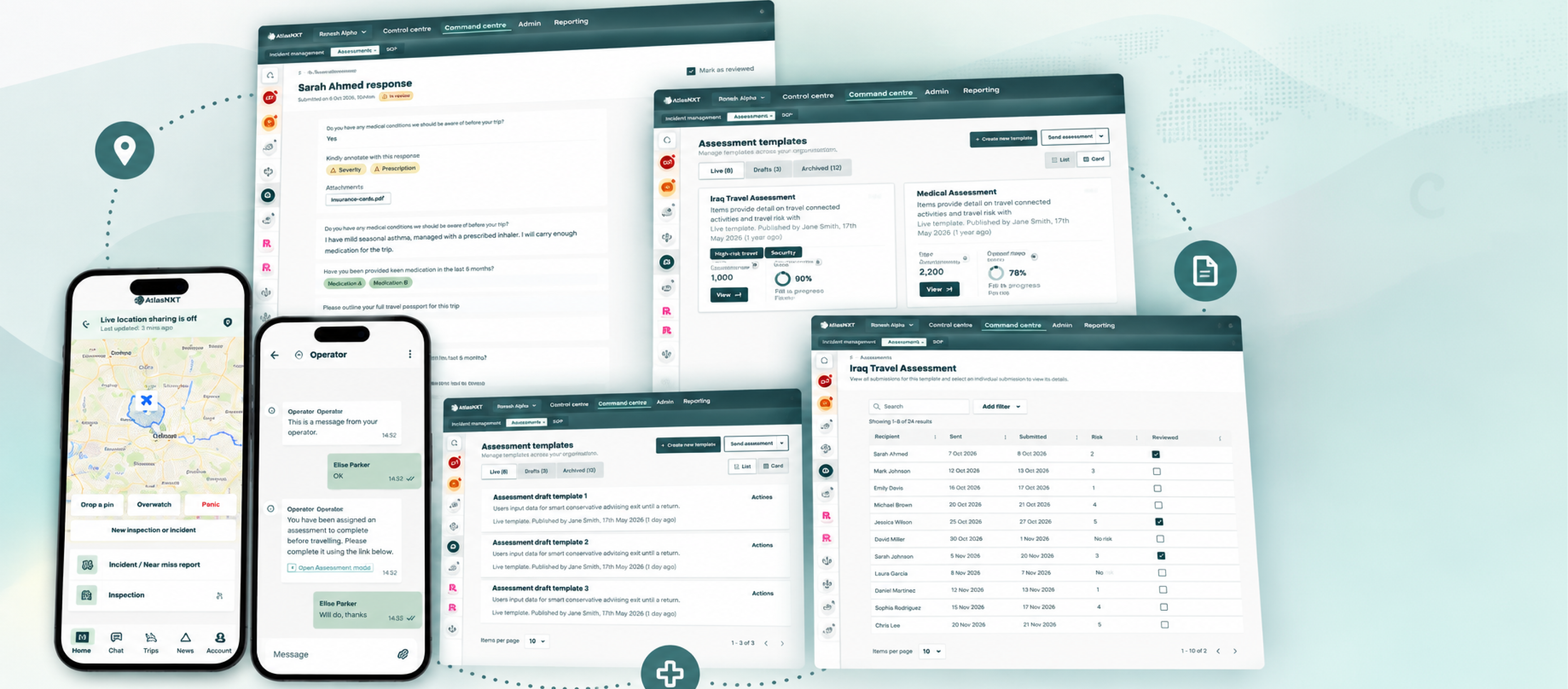

See submitted checks, recorded risks, and review status across your people, sites, and activities.

Keep responses, photos, and notes with the relevant person, place, asset, or activity.

Schedule repeat checks and notify selected managers on submission, so findings reach the people who can act.
When a board, auditor, client, or insurer asks how risk is managed, you need more than a completed checklist. Build a clear record of the checks carried out, the risks found, and the controls considered. Configure your process around the frameworks, duties, and policy requirements that apply to your operation.
Structure risk identification, assessment, and review around your organisation's risk management process.
Document journey, destination, and accommodation checks within your travel risk programme.
Support workplace hazard assessments, control reviews, and health and safety assurance.
Keep the findings and control checks that support your responsibilities under UK health and safety law.
Support management oversight of health and safety in the context of the Corporate Manslaughter and Corporate Homicide Act 2007.
Shape checks around the inspection, maintenance, and risk-control evidence required by your policies and contracts.
Answer the questions behind an audit, management review, or client assurance request: who checked, when they submitted it, what they found, and what supports the finding.
Give leaders a consistent basis for prioritising attention and preparing assurance reports, with source records available for review.
See how incident timelines support audit and reporting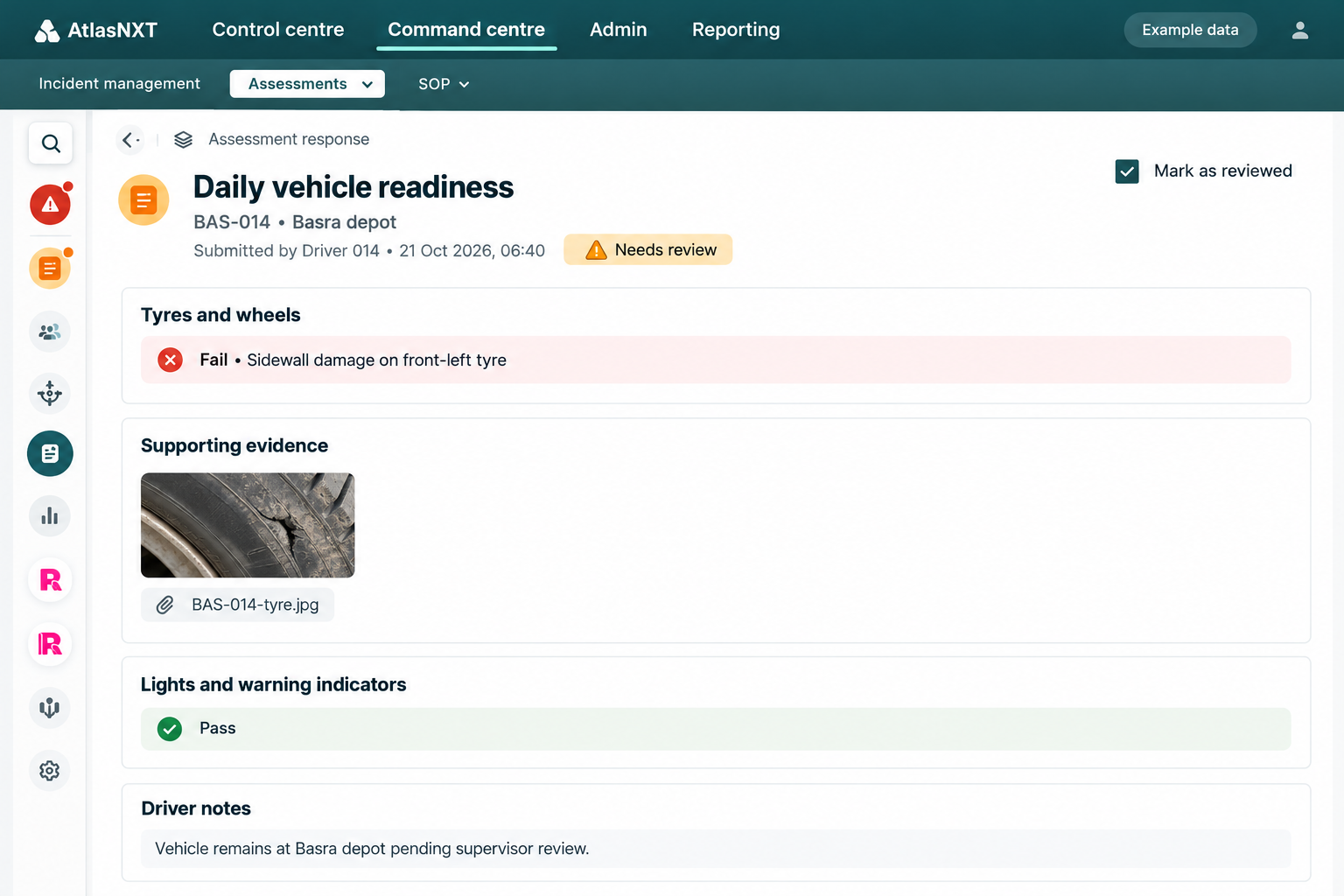


A failed check is a reason to act. Bring the finding and its evidence to the right manager, so your team can prioritise a response, change a plan, or coordinate an incident with a clear understanding of the risk.
Send assessments directly to selected users, immediately, at a scheduled time, or on a recurring cadence. Spend less time coordinating routine requests and more time reviewing the findings that matter.
Notify selected managers when a check is submitted. They can review the responses and evidence, decide what needs attention, and direct the next step with the facts in view.
For example, a vehicle check identifies a safety concern before departure:
Vehicle checks. Accommodation assessments. Site security reviews. Journey risk assessments. Workplace safety inspections. Supplier reviews. Configure reusable templates with the questions, scoring, and evidence your operation needs, then apply a consistent standard across teams and locations.
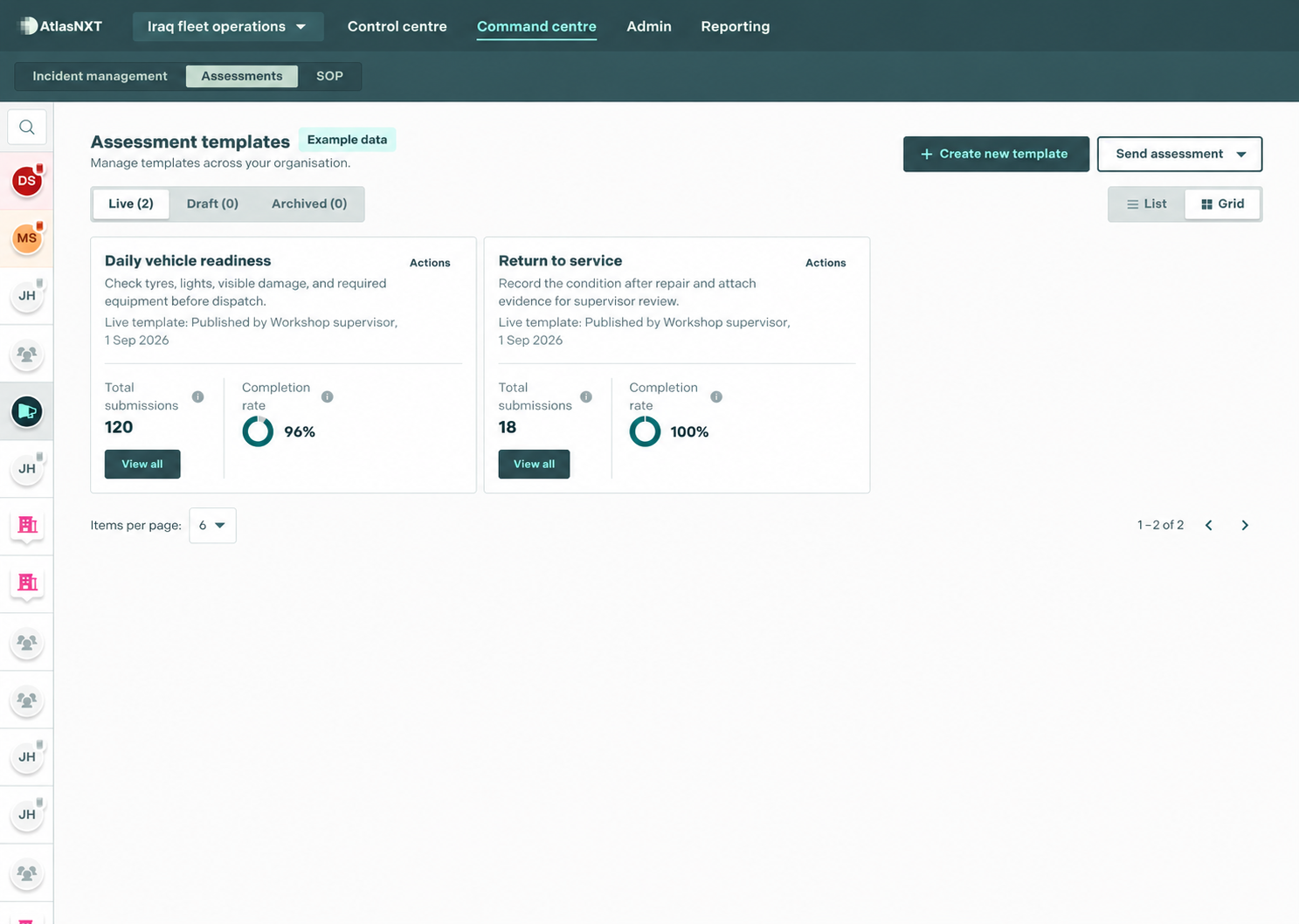
Start an inspection during a site visit, patrol, or equipment check. Record responses, photos, and notes against the relevant place, asset, or activity. Give colleagues the context to understand a concern without piecing together separate forms and messages.
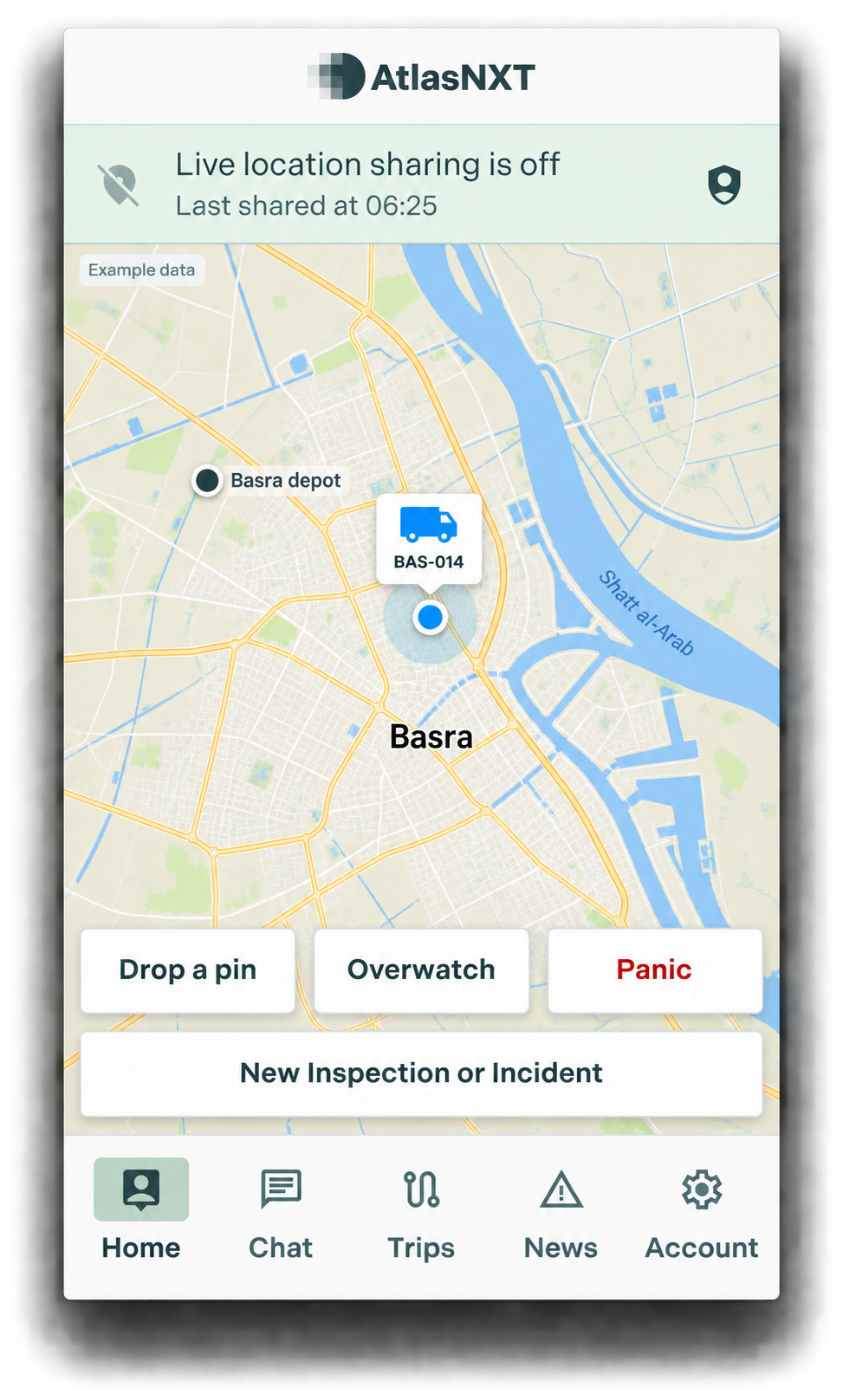
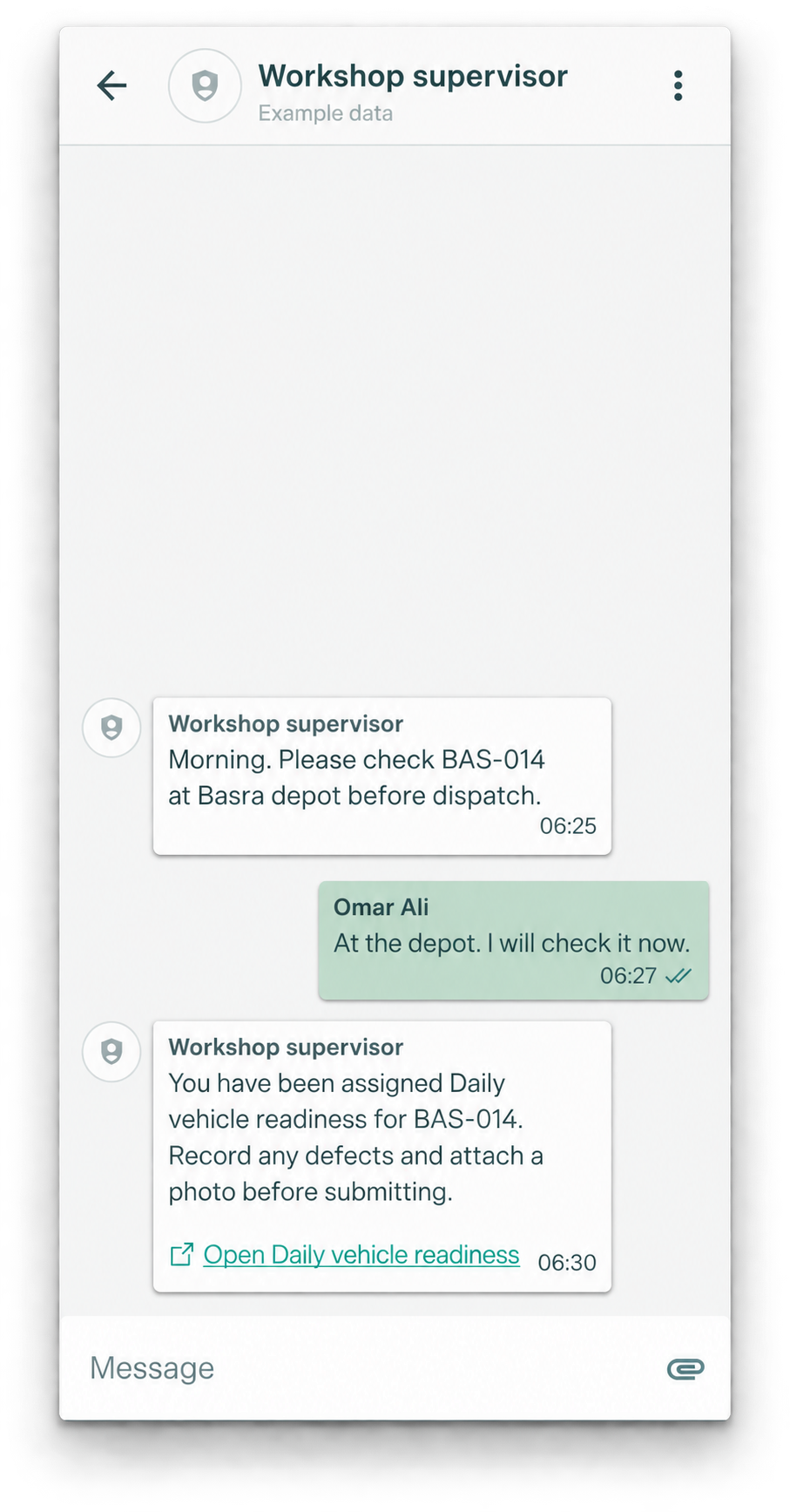


When an alert highlights a threat near your people, sites, or planned travel, your team can issue an assessment to check local conditions and readiness.

Use live location context alongside findings recorded against people, places, and assets to understand where attention is needed.

When a finding needs a coordinated response, your team can open an incident, assign tasks, and keep decisions on a time-stamped timeline.
Follow the alert, the location, the completed check, and the manager's next step. Explore three operating examples with practical workflows and transparent ROI assumptions.
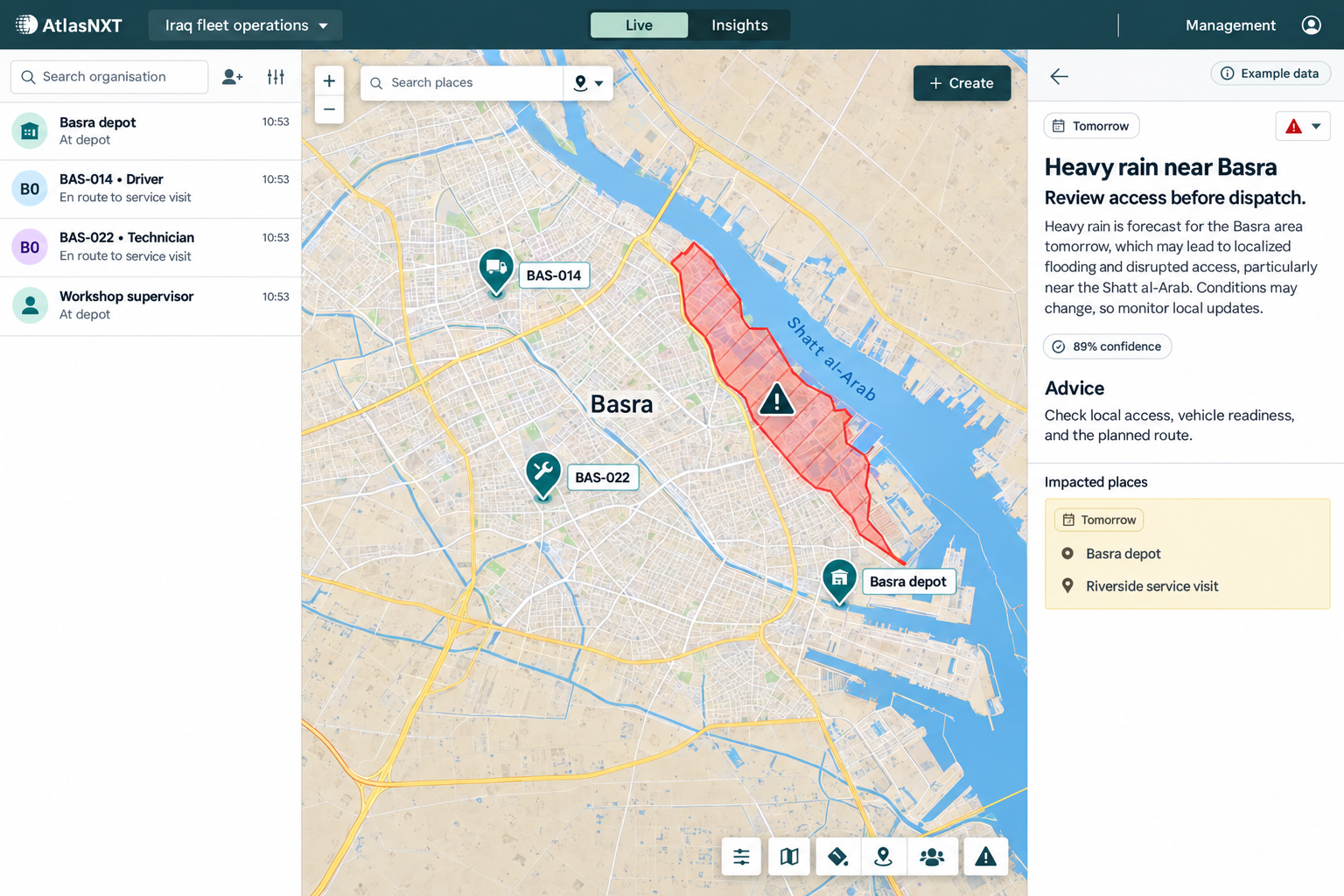
240 vehicles across Baghdad, Basra, and Erbil. Follow readiness checks into alerts, crew welfare, an SOP-guided response, and incident review, with a model of their combined operational value.
$82,800 annual benefit; 176% modelled ROI
Explore the whole-platform story and ROI
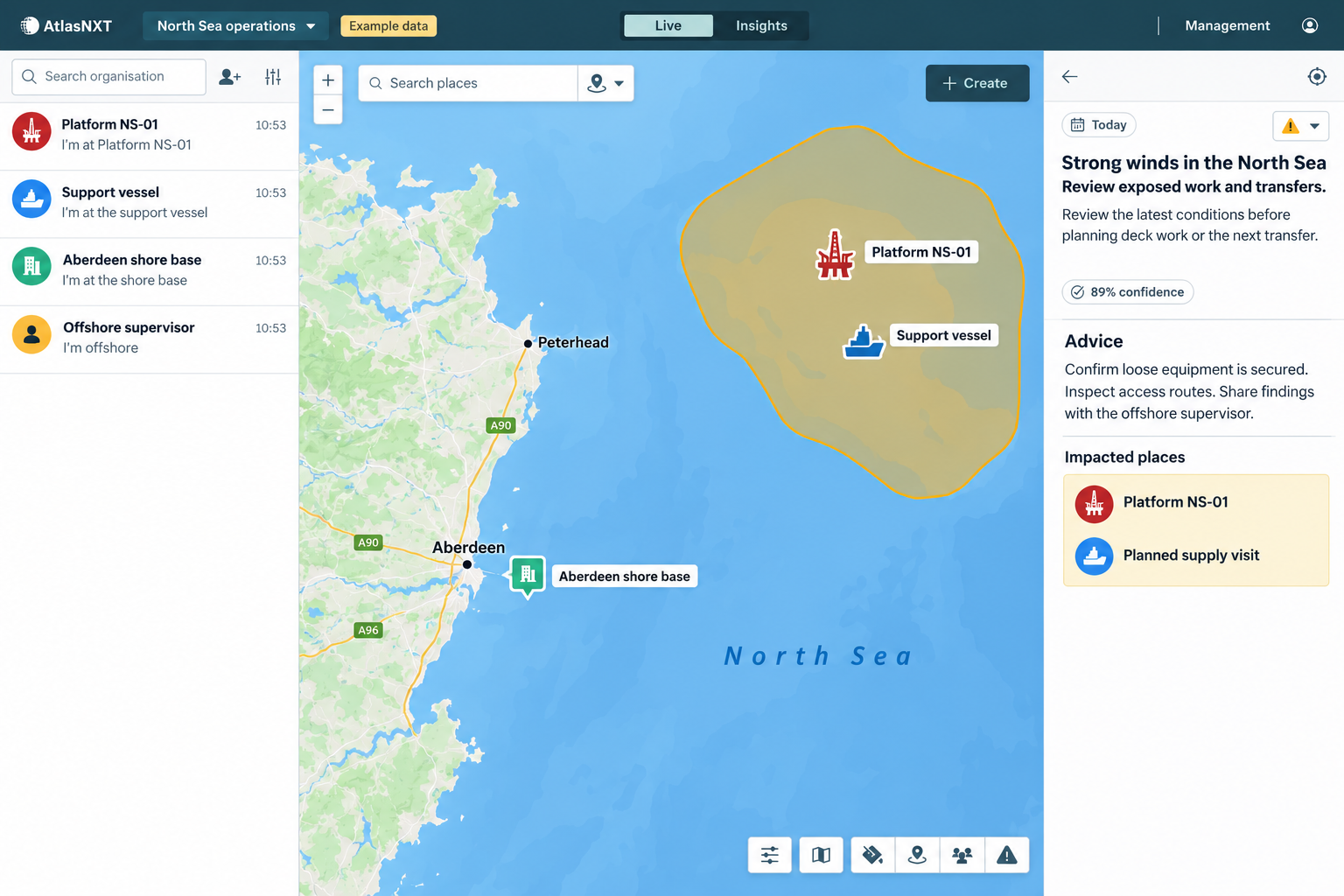
One platform, 72 checks a day across two shifts, and an Aberdeen shore base. See how weather readiness checks and evidence-led handovers could free up time for operational work.
£54,240 annual capacity value; 126% modelled ROI
Explore the offshore workflow and ROI
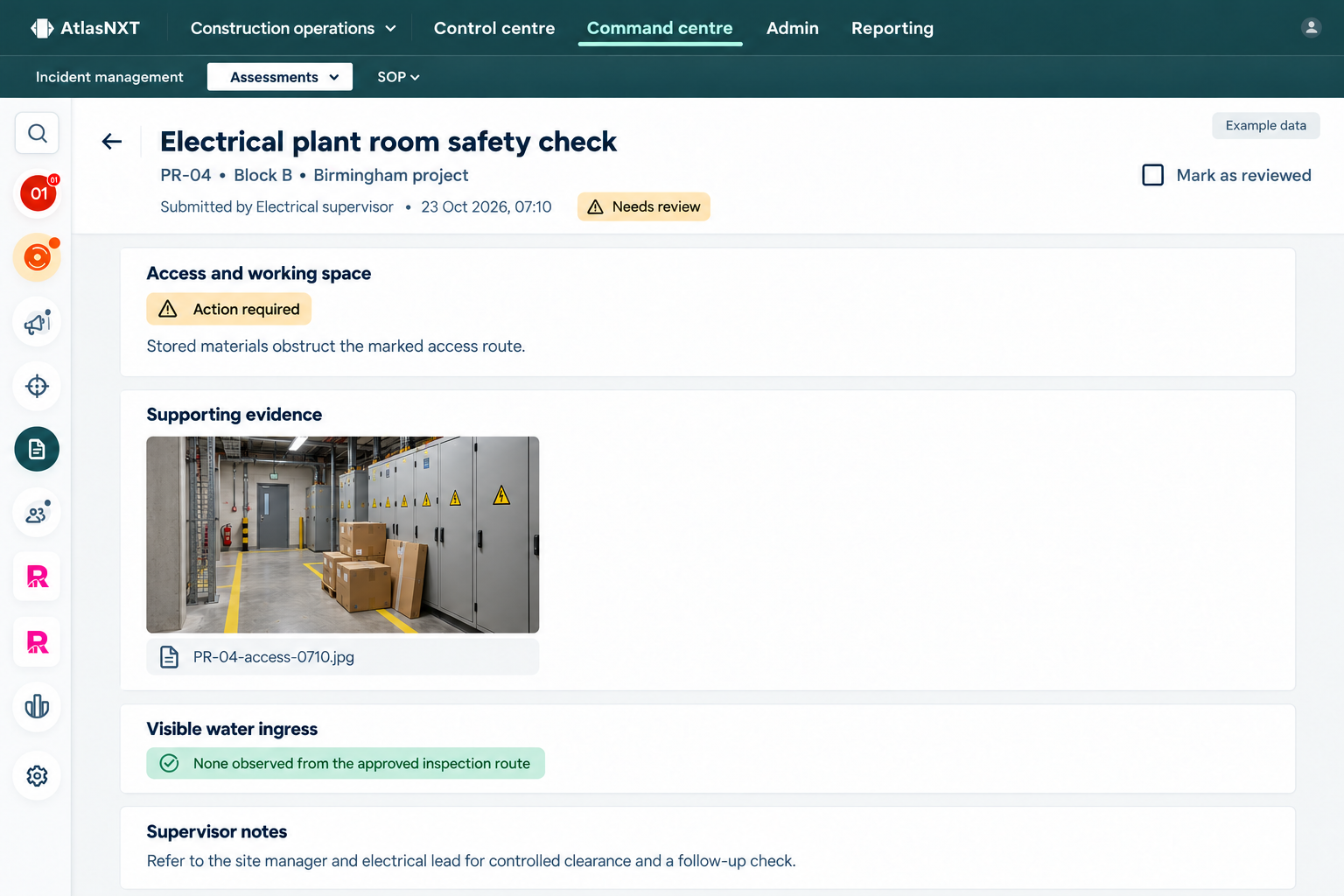
36 electrical plant rooms across six blocks on one Birmingham project. Follow a finding through manager review, controlled clearance, and a recorded recheck for the next trade handover.
£54,120 annual capacity value; 126% modelled ROI
Explore the construction workflow and ROI
For remote operations, compatible satellite devices extend location visibility, messaging, and requests for assistance beyond mobile coverage. Explore Satellite Communication.
Bring a real site, journey, or vehicle-check process. Tell us who completes the check, who reviews it, and the evidence you need. Focus your trial on a workflow your team can put to use.
For security providers and teams managing multiple sites. Test a repeatable site check and review the findings centrally.
Request a site-check trialFor NGO, energy, and extractives teams. Explore checks for field locations alongside your communications and oversight needs.
Request a field-operations trialFor travel, logistics, and fleet teams. Test the checks that help managers make informed decisions before departure.
Request a travel-and-fleet trial