01
Prepare
Use assessment findings to shape the procedures your teams rely on before work begins.
Inspections & Assessments


Put your agreed response beside the alert. Help operators act consistently, coordinate support, and hand over with a clear record of progress, using the same platform that locates your people and manages the incident.
01
Use assessment findings to shape the procedures your teams rely on before work begins.
Inspections & Assessments02
Use alerts and live location to understand who may need support, then decide the response.
Global Alerts03
Follow the relevant SOP for a Panic Alert, Overwatch Alert, or reported incident. Contact people and coordinate help.
Welfare Checks and SOS04
Bring procedure progress, messages, and incident decisions into the review, then refine the next response.
Incident ManagementGive operators a dependable starting point when an alert arrives. Bring the procedures you already trust into the same workspace as the people, locations, and incidents they protect.
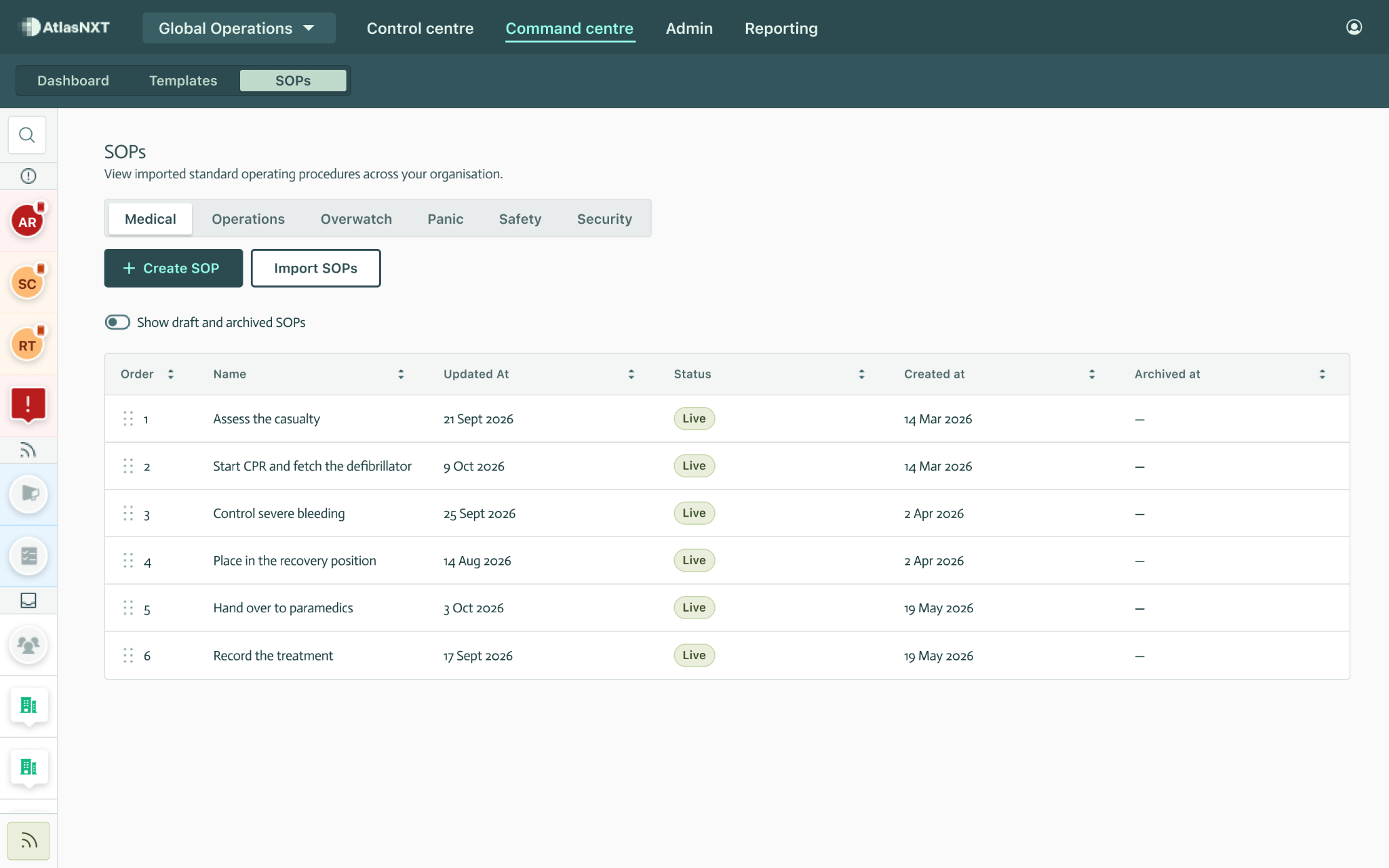
Import procedures from PDF, Word, and internal sources. Make your organisation’s agreed response accessible without asking operators to search through separate documents.
Organise medical, security, travel, and routine procedures into clear categories. In-house teams and monitoring partners can follow the same sequence, with your escalation contacts and external response steps included.
Use a post-incident review to refine the steps, change their order, or update responsibilities. Maintain the library centrally and archive superseded SOPs while keeping previous procedures accessible.


Link SOP categories to Panic Alerts, Overwatch Alerts, and reported incident types. Operators can work through the relevant procedure while using location, messages, and the wider incident record to coordinate a response.
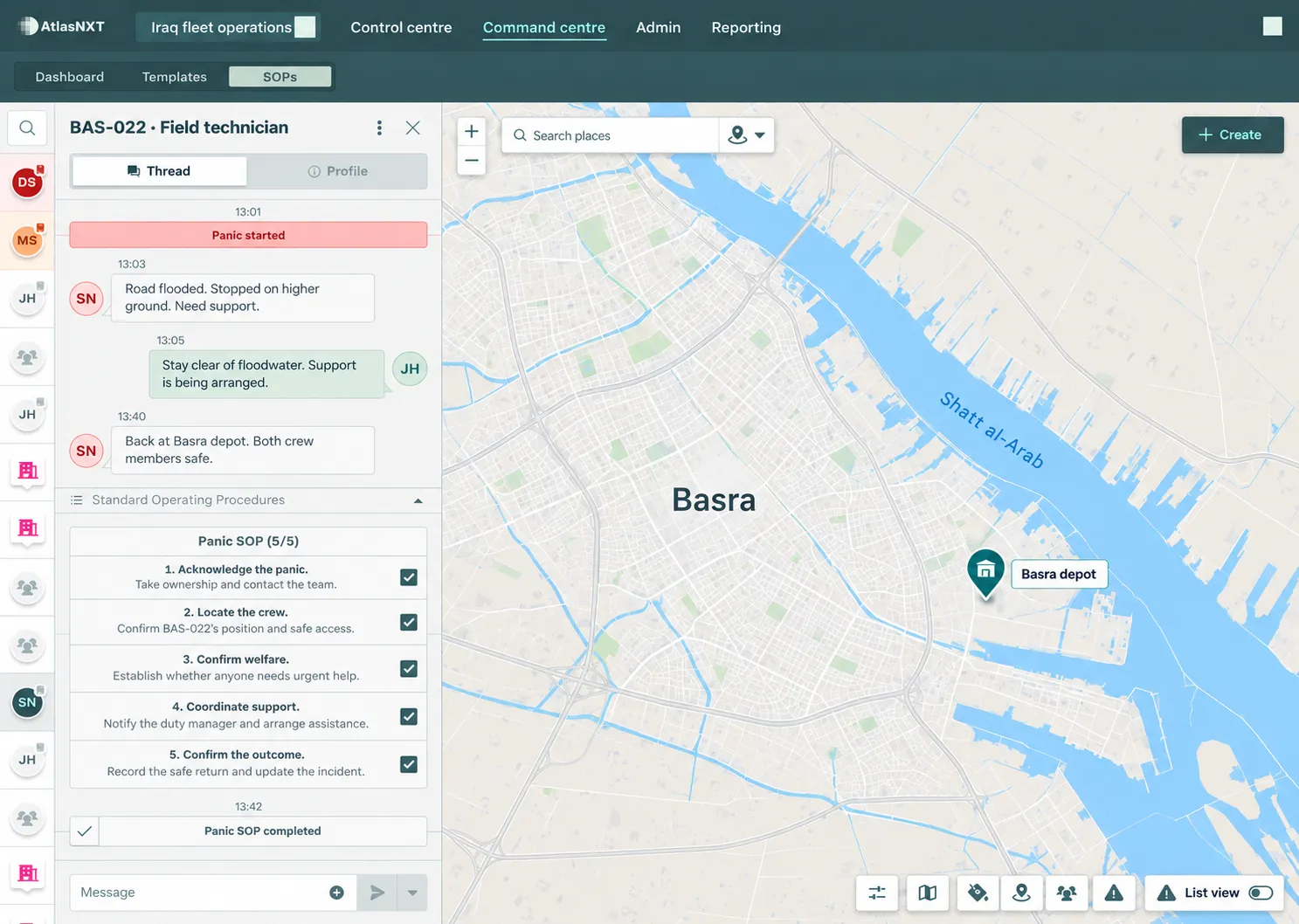
Basra fleet example: a Panic Alert, crew messages, location context, and five steps marked complete by the operator.
Follow the full Basra responseA field technician near Basra raises a Panic Alert after flooding blocks the route. The operator follows the agreed procedure, checks the location, and contacts the crew to understand their welfare and support needs.
The operator notifies the duty manager and arranges assistance. Where wider coordination is needed, the team uses Incident Management to assign tasks and record decisions, while marking SOP steps complete as work progresses.
When the crew confirms its safe return, the operator records the outcome. Colleagues can review the marked procedure steps alongside the messages and incident record, with a clearer view of completed work and outstanding follow-up.
Make handovers, client reviews, and post-incident discussions easier to prepare. Use the records from across AtlasNXT to explain what the team knew, what it did, and what should improve.
See which SOP steps the operator marked complete. Use that recorded progress to focus the handover on what still needs attention.
Use the incident timeline, assigned tasks, and messages to review decisions, responsibilities, and follow-up.
Refer to completed assessments, submission details, and attached evidence when reviewing readiness or deciding what changes before the next shift.
Built for duty of care, internal response assurance, and client review.
Follow the same Iraq fleet operation from preparation and a weather warning to crew welfare, a guided response, and management review. See how the capabilities work together to keep vehicles moving and people accounted for.
Follow a Basra operation through a completed vehicle check, a changing weather risk, targeted messages, and a Panic Alert. The same team uses SOPs, incident tasks, and the final review to coordinate the response.
Read the whole-platform fleet use case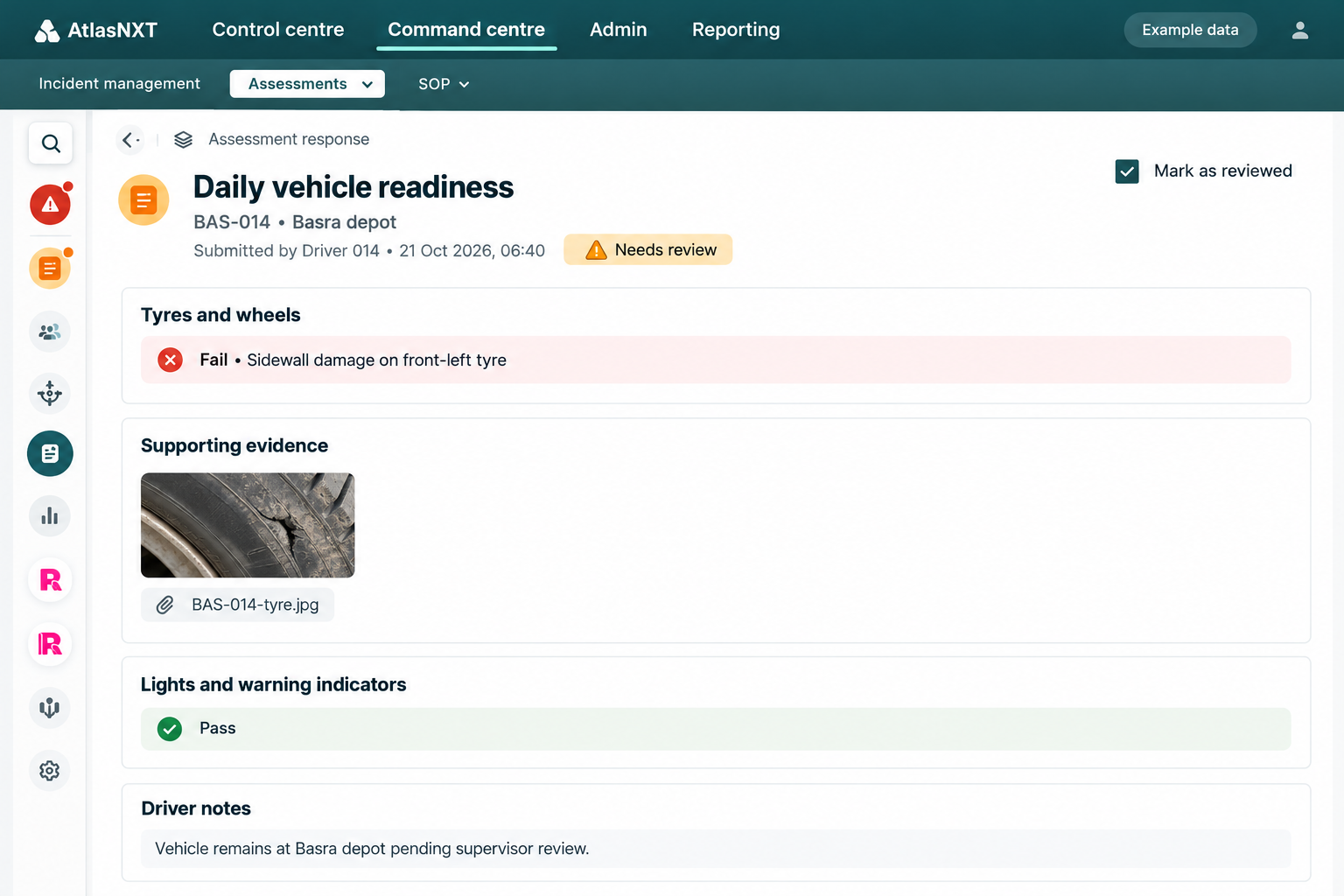 See how this completed assessment informs the wider response.
Bring one existing procedure, the people who would use it, and a realistic operating scenario. In a focused trial, measure time to the first useful action, handover effort, and the quality of the record available for review.