



An analyst spots a developing threat. A client has people nearby, another has a journey planned through the area, and a third needs advice about whether to open a site tomorrow. The underlying intelligence is the same. The service each client needs is different.
AtlasNXT gives security providers a way to carry that assessment through to action. It brings intelligence, risk visualisation, personnel tracking, communications, and incident management into the same platform. Analysts can make their knowledge useful to the duty team, operators can support the people affected, and supervisors can see where work still needs attention.
That matters most when the provider has expertise of its own. Local reporting, trusted contacts, and experienced analysts should shape the service. The platform should help that judgement reach the right people and remain available throughout the response.
How can you see the pattern behind individual reports?
A map full of markers is useful for finding individual events. It becomes harder to read when the question is broader: where should the team look more closely, and which areas deserve a different briefing?
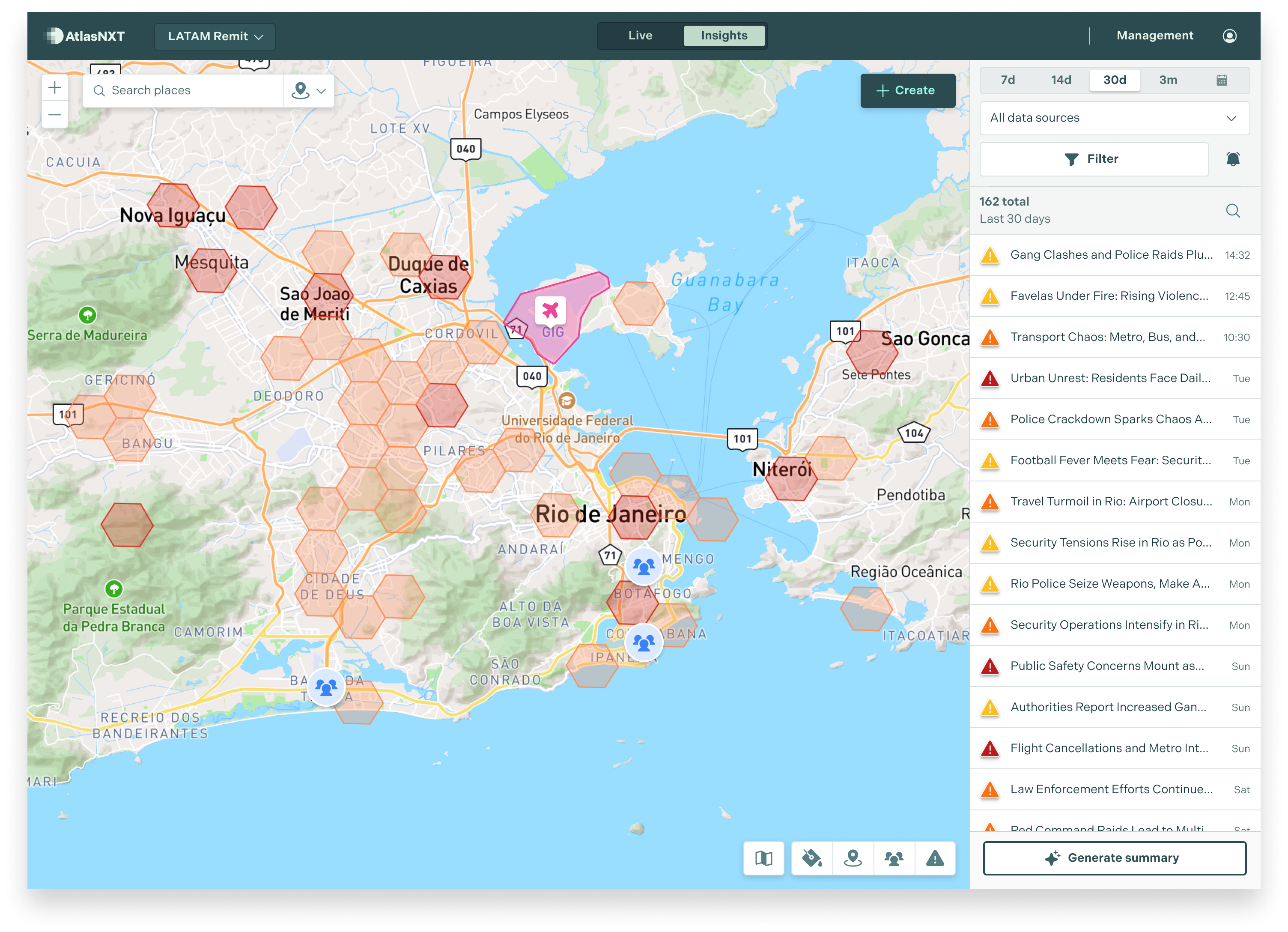
AtlasNXT's hexmaps divide the map into hexagonal areas and display average risk ratings. They give an analyst a regional view to use when comparing the surroundings of client sites or examining an area through which people will travel. Heat maps provide a different view, highlighting activity density. Severity colours and individual markers let the team examine the events behind those patterns.
Imagine a busy commercial district with numerous lower-severity reports and a quieter outlying area with fewer, more serious events. Activity density and average risk answer different questions. Switching between the views helps the analyst decide where to investigate, then explain the significance for a particular client.
The useful result is a more specific assessment. Instead of forwarding every report, the provider can explain which area has become a concern, what that means for the assignment, and what it recommends doing about it.
Can that assessment include your own intelligence?
Yes. AtlasNXT supports configured external feeds and uploaded information, allowing a provider to bring its own reporting together with relevant security, weather, and operational data. The provider can retain the sources that suit its work and use the platform to relate them to people, assets, and locations.
For example, a regional warning may need to be read alongside a supervisor's report that one approach road remains open. That local detail can change the advice given to a travelling team without changing the wider assessment for the city. Bringing the information together helps the duty operator act on the analyst's current view.
JESIP, the UK's emergency-service interoperability programme, recommends assessing information for relevance, accuracy, timeliness, source reliability, and credibility.1 Those questions are useful here because they keep the briefing focused on the decision: what do we know, how much confidence should we place in it, and what should the client do next?
How do you connect an area of concern with the people you support?
AtlasNXT combines the intelligence picture with locations reported by the AtlasNXT app and compatible tracking devices. A supervisor can look at the people working near an event, check their circumstances, and contact them from the operational environment.
Smart geofencing adds alerts when people enter or leave defined areas. A team managing a developing disruption can use a geofence around the relevant location to support its watch, rather than relying on an operator continually checking every person's movement. Remits organise geographical responsibility, helping local operators focus on their assignments whilst authorised managers oversee the wider operation.
The same service can support different field arrangements. The AtlasNXT app brings smartphone tracking, messages, Check-Ins, Overwatch, and Panic buttons together. Compatible satellite devices extend tracking and communications options for remote assignments beyond cellular coverage. The provider can equip people for the work they actually do while keeping oversight in the same platform.
How can you prepare people to receive an urgent message?
Before an assignment begins, ReachScore™ helps the operations team identify avoidable communications gaps. It brings together checks on SMS-number availability, notification and location permissions, recent device contact, and battery level.
That turns onboarding into a practical readiness check. An operator can help someone restore notification permissions or correct their contact details before they travel. During an extended assignment, the team can review a device that has stopped communicating instead of discovering the problem when an urgent instruction is needed.
Mass notifications then provide the means to reach the relevant audience across the configured channels, including push, SMS, email, voice, and compatible satellite services. Check-Ins collect responses, helping operators distinguish people who have confirmed their status from those who need assistance or further contact. An affected group can receive a specific instruction without broadcasting the same message to every client.
What happens when the warning needs a coordinated response?
The Incident Room holds the developing timeline, communications, decisions, and assigned tasks. The analyst can add an updated assessment while an operator follows up with staff and a supervisor coordinates the next action. Their work contributes to the same incident record.
Incident templates provide a structured way to collect the initial report. Configured links and QR codes can also make reporting available to people who are not app users, which is useful when a visitor or contractor witnesses a problem at a supported site. Selected external events can create incidents through template-linked webhooks, bringing connected systems into the response workflow.
For supervisors managing several cases, the Incident Dashboard shows severity, location, duration, recent activity, and time since the last update. AI-generated summaries help them grasp the position, and the task view makes outstanding work visible. A quiet incident with an unanswered welfare check can receive attention alongside a newer, busier case.
How does the service continue through a shift change?
The incoming team should be able to find the latest assessment, the instruction already issued, and the people still awaiting support. The Incident Room provides that continuing record, so the handover can concentrate on decisions and unfinished work.
The Health and Safety Executive's handover guidance describes preparation, an exchange between outgoing and incoming staff, and a cross-check by the people taking over.2 A useful exercise is to hand an active case to a second operator and ask them to explain what happens next. That tests the service as it will operate, including the moments when the original analyst is no longer available.
Book an AtlasNXT demo to see your intelligence, hexmaps, tracking, communications, and incident response working together around a realistic client assignment.
References
1. JESIP, Supporting Decision Making, information assessment and common information sharing.