


What does duty of care mean for remote and lone workers? It means planning how people will work safely and get support when colleagues or supervisors are not close by. Employers need to consider the activity, location, communications, and response arrangements before the work starts.
Distance exposes assumptions that are easy to miss in an office. Someone may be unable to raise an alarm. A message may not reach their device. The usual manager may be off duty. A useful process deals with those situations in advance and gives both the worker and the support team a clear next step.
Who counts as a lone worker?
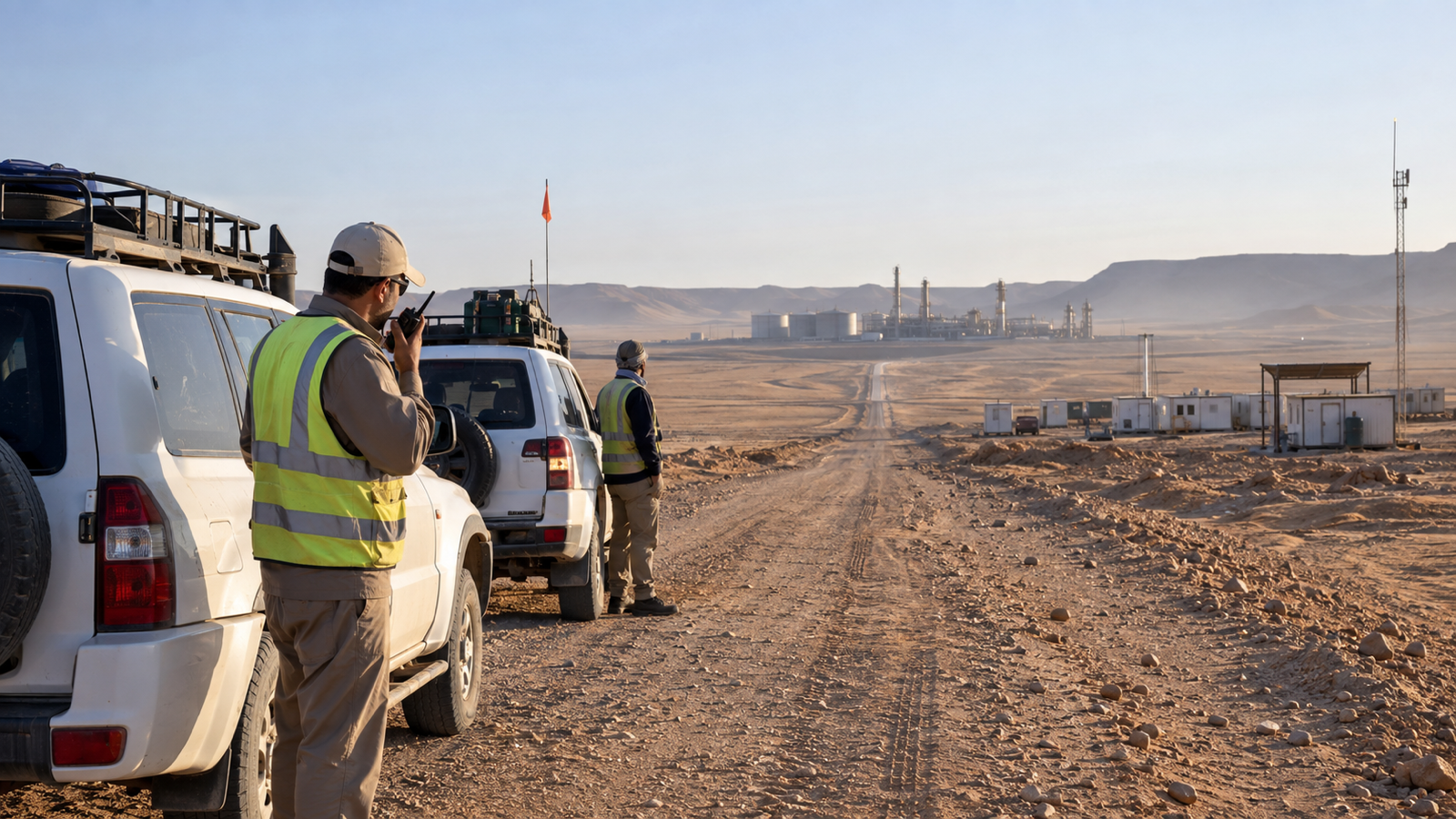
HSE describes lone workers as people working without close or direct supervision. Examples include engineers, drivers, cleaners, security staff, and people working at home. Remote working and lone working overlap, but they are not identical: a team can be remote without working alone, and a person can work alone in a busy urban location.1
That distinction matters when choosing controls. A remote crew may be able to help an injured colleague but still need external assistance. A lone worker at an accessible site may have reliable mobile coverage but nobody nearby who knows they need help.
Assess the assignment before choosing the technology
Start with the work people will actually do. Ask what could happen, how quickly the consequences could worsen, and what help would be available. A device is only one part of the answer.
For an engineer visiting several sites, the assessment might cover travel, access, the physical task, changing weather, and the time needed for assistance to arrive. For a person working from home, equipment, working patterns, and isolation may be more relevant. The contact plan should match those circumstances.
HSE advises employers to train, supervise, and monitor lone workers, maintain contact, and respond to incidents. Some high-risk activities require another person to be present. A monitoring tool should never be used to justify working alone where the task requires a different arrangement.2
Agree what happens when contact is missed
A check-in is useful when somebody owns the response. Before the assignment, agree the expected contact, the person monitoring it, and what happens if it does not arrive. The timing should reflect the assessed risk rather than a universal interval.
- Record the planned activity, destination, and expected completion or contact point.
- Identify the duty contact and a backup who can act if that person is unavailable.
- Agree which channels to try and what information the responder will need.
- Define when to involve local support or emergency services.
- Make outstanding actions visible through shift changes.
Consider a lone engineer whose planned check-in is overdue. The operator checks the assignment details and latest available information, attempts contact using the agreed channels, and follows the escalation procedure. If the engineer confirms a change of plan, that update is recorded. If their status remains unknown, the next action has a named owner.
This is an example workflow. The response window and actions must be selected for the actual assignment, available resources, and local arrangements.
Plan for communications failure
A phone showing coverage at the depot says little about a remote worksite. Test the equipment and channels where people will use them, including any known gaps along the route.
A practical plan distinguishes three things: whether a device appears ready, whether a message was delivered through a channel, and whether the worker confirmed their status. Treating these as the same can leave a support team with false reassurance.
AtlasNXT's ReachScore™ supports readiness checks. Notifications and Check-Ins then help the team communicate and collect responses. Compatible satellite devices provide additional options for assignments beyond mobile coverage, subject to the device and service arrangements.
Keep location information useful and proportionate
The duty team needs information that helps it support the assignment. A reported position can provide context, but operators should consider when it was recorded and what it actually establishes. An old location is not confirmation that a worker is still there or is safe.
Explain to workers how location information will be used, who can access it, and when tracking applies. Keep the operating purpose clear. A support process works better when people understand it and can raise concerns about its practical use.
For a more specific field example, read Duty of Care for Field Engineers.
Give workers a route to help they can trust
A procedure is weaker if people hesitate to use it. Explain when to ask for assistance, how to report a changed plan, and who can authorise a pause or revised activity. Test whether the worker can find the contact details and use the equipment under realistic conditions.
Include less dramatic problems in the review. Repeated missed calls, fatigue, difficult journeys, and uncertainty about who is on duty can reveal weaknesses before a serious incident. Ask workers which parts of the process help and which create confusion.
How can AtlasNXT support remote and lone workers?
AtlasNXT connects reported locations with communications and incident coordination. Operators can review the relevant people and areas, send targeted messages, and use Check-Ins to identify responses requiring follow-up.
When support requires several actions, the Incident Room holds the developing record and assigned tasks. Supervisors can use the Incident Dashboard to review active cases and outstanding work. That helps an unresolved assistance request remain visible when newer alerts arrive.
The platform should sit within a staffed, tested process. The important outcome is that somebody receives and acts on the information, and that the worker gets the support agreed for the assignment.
Frequently asked questions
Is a mobile phone enough for lone working?
That depends on the assessment. Consider coverage, the worker's ability to initiate contact, the speed at which help may be needed, and who will respond. Some activities need a different working arrangement or additional equipment.
Can the worker take over the employer's responsibility?
Workers have responsibilities of their own, and can be asked to follow agreed procedures. Assigning a check-in task does not remove the employer's responsibilities for the working arrangements.
How should the process be tested?
Run an exercise that includes a missed check-in, an unavailable duty contact, and a shift handover. Check whether each participant knows the next action and whether unresolved work reaches the person taking over.
Book an AtlasNXT demo to explore a remote-worker support workflow using tracking, Check-Ins, communications, and incident coordination.
References
1. Health and Safety Executive, Lone working: overview.
2. Health and Safety Executive, Manage the risks of working alone.